Businesses often delay technology upgrades because their existing systems still work. Their websites are running, employees can complete daily tasks, and customers can continue placing orders. Everything may seem fine on the surface.
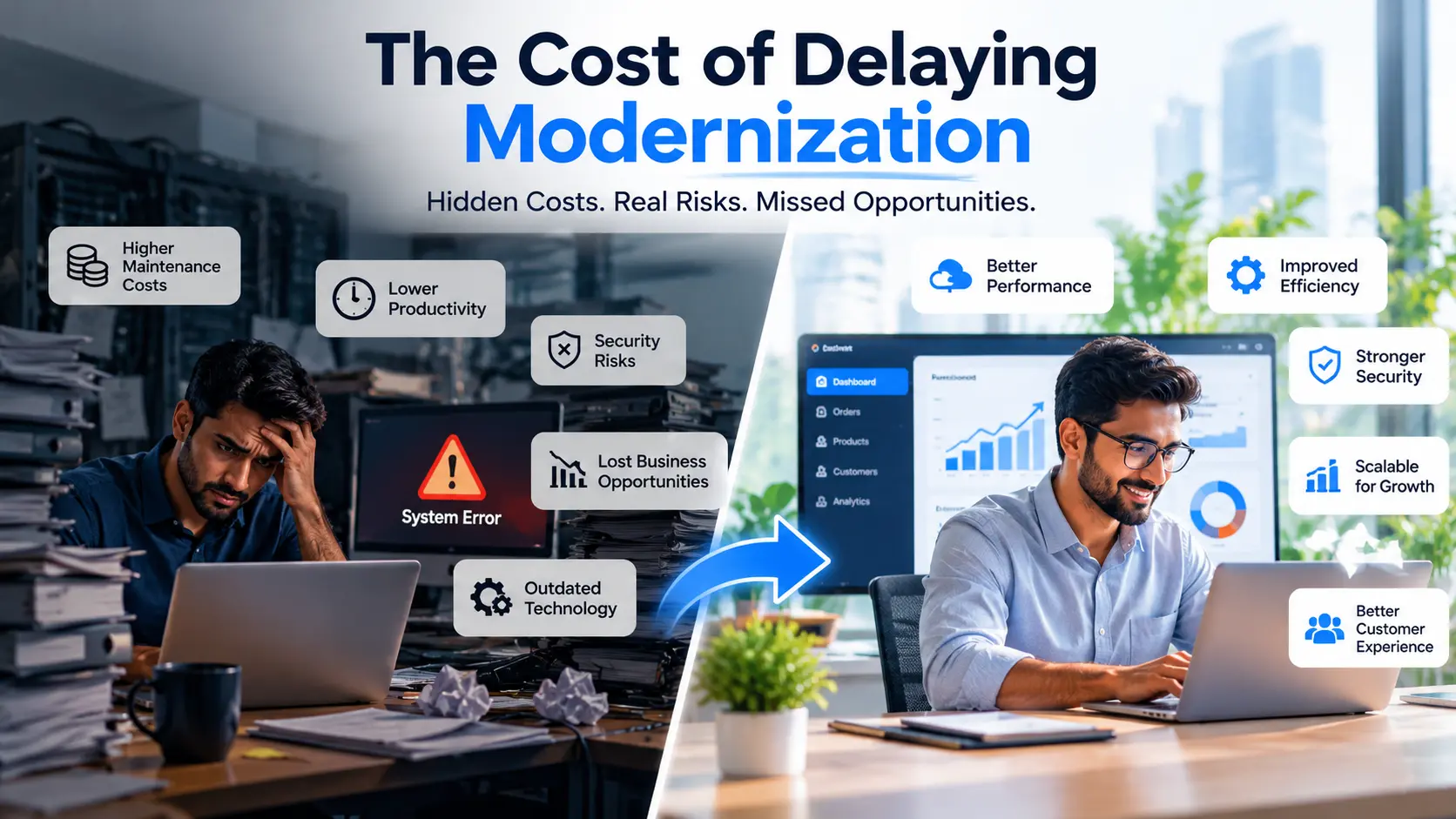
However, outdated technology can quietly increase maintenance costs, reduce employee productivity, create security risks, and limit business growth.
The cost of delaying modernization goes beyond the price of upgrading software. It also includes lost productivity, rising maintenance expenses, operational inefficiencies, and missed business opportunities.
For businesses that depend on websites, applications, databases, and digital systems, understanding these hidden costs is essential to making smarter technology decisions.
In this article, we explore the cost of delaying modernization, the risks of using outdated technology, and practical ways businesses can modernize their systems without unnecessary disruption.
What Is the Cost of Delaying Modernization?#
The cost of delaying modernization refers to the financial, operational, and competitive impact of continuing to use outdated technology instead of improving or replacing it.
These costs can include:
Increasing software maintenance expenses
Reduced employee productivity
Security vulnerabilities and unsupported software
Poor customer experiences
Difficulty integrating new technologies
Limited scalability as the business grows
Lost opportunities to automate repetitive tasks
Modernization does not always mean replacing an entire system. In many cases, businesses can improve existing applications by updating frameworks, strengthening security, automating manual processes, or improving software architecture.
The right approach depends on the condition of the current system, business requirements, available resources, and long-term objectives.
1. Higher Software Maintenance Costs#
One of the most common consequences of delaying modernization is the increasing cost of maintaining existing software.
Older applications may depend on outdated frameworks, unsupported libraries, complex code, or technologies that are becoming difficult to maintain.
As a result, even a small change can require significant development time and testing.
For example, imagine a business using an outdated inventory management system. Adding a new reporting feature might require changes across several interconnected modules because the original application was not designed for easy expansion.
Instead of investing in new features, the business continues spending money maintaining existing functionality.
How Can Modernization Help?#
A well-planned modernization strategy can simplify the codebase, remove unnecessary dependencies, improve maintainability, and make future updates easier.
However, modernization also requires an initial investment. Businesses should compare the cost of upgrading with the ongoing expenses and risks of maintaining their current systems.
The goal is not to replace technology simply because it is old. The goal is to determine whether the existing system remains secure, practical, and cost-effective.
2. Reduced Employee Productivity#
Outdated technology can make everyday business operations more complicated than necessary.
Employees may need to enter the same information into multiple applications, manually transfer data between spreadsheets, or wait for slow reports before making decisions.
Although these delays may appear insignificant individually, they can accumulate across an organisation.
For example, an employee who spends 15 minutes every day correcting records or preparing reports manually loses more than an hour of working time each week. Across an entire team, the impact can become substantial.
How Can Modernization Help?#
Businesses can improve productivity by automating repetitive tasks, connecting disconnected systems, and simplifying workflows.
For example, integrating a customer relationship management system with an order management application can reduce duplicate data entry and help sales and operations teams work with more consistent information.
Before investing in new software, identify the tasks that consume the most time. Modernization should solve genuine business problems rather than introduce technology without a clear purpose.
3. Increased Security Risks#
Security is another important factor when evaluating the cost of delaying modernization.
Older software may rely on components that no longer receive security updates. Unsupported operating systems, outdated frameworks, and poorly maintained third-party dependencies can make it more difficult to protect business systems.
This does not mean every older application is automatically insecure. The actual risk depends on its configuration, dependencies, exposure, and security controls.
However, continuing to use unsupported technology can make security management more challenging.
How Can Modernization Help?#
A security-focused modernization plan may include:
Updating frameworks and third-party dependencies
Removing unsupported components
Strengthening authentication and access controls
Improving system monitoring and logging
Reviewing data protection practices
Applying security patches regularly
Testing applications for known vulnerabilities
Businesses should also maintain reliable backups and prepare recovery procedures to minimise disruption if something goes wrong.
For organisations handling customer information, financial records, or other sensitive data, maintaining secure and supported technology is particularly important.
4. Poor Customer Experience#
Customers expect digital services to be fast, convenient, and reliable.
If a website loads slowly, a checkout process is confusing, or an application does not work properly on mobile devices, customers may leave before completing their intended action.
Similarly, outdated internal systems can affect customer service when employees cannot quickly access order details, resolve issues, or provide accurate information.
How Can Modernization Help?#
Businesses can improve customer experience by investing in:
Faster and more reliable websites
Mobile-friendly interfaces
Simple navigation and checkout processes
Better product search and filtering
Integrated customer support tools
Reliable order and account management
Consistent user interface design
For example, an e-commerce business might improve its product pages, checkout experience, and payment integration before considering a complete platform rebuild.
The best modernization priorities are those that address real customer problems and support business objectives.
5. Difficulty Integrating New Technologies#
As businesses grow, they often adopt additional tools for accounting, marketing, customer management, inventory, and analytics.
Older applications may not provide suitable APIs or may use outdated data formats that make integration difficult.
Employees may then rely on spreadsheets, manual exports, or custom workarounds to transfer information between systems.
These workarounds can introduce errors, create inconsistent records, and make reporting more complicated.
How Can Modernization Help?#
Modernizing an application can improve its ability to communicate with other systems through APIs, standard data formats, and well-defined integration points.
Depending on business requirements, useful improvements may include:
API development and integration
Database optimisation
Automated data synchronisation
Cloud-based services
Automated business workflows
Centralised reporting
Better system documentation
Not every business needs a complex software architecture. Sometimes, a well-structured application with reliable APIs is sufficient.
The right architecture should match the size, complexity, and future requirements of the business.
6. Limited Scalability and Business Growth#
A system that works well for a small business may struggle when customer numbers, transactions, or operational complexity increase.
Performance bottlenecks, inefficient database queries, and tightly coupled software components can make it difficult to support new requirements.
Businesses may also discover that adding a simple feature requires extensive development because the original application was not designed to accommodate growth.
How Can Modernization Help?#
A modernization assessment can identify bottlenecks and determine whether targeted improvements are sufficient.
Potential improvements include:
Database query optimisation
Application performance monitoring
Better caching strategies
Improved resource management
Cloud infrastructure where appropriate
Background processing for time-consuming tasks
Modular application architecture
Simply adding more server resources does not solve every performance problem. Businesses should identify the underlying causes before investing in additional infrastructure.
A measured approach helps avoid unnecessary spending and ensures that technical improvements address actual business needs.
7. Missed Business Opportunities#
Technology influences how quickly a business can respond to changing market conditions and customer expectations.
When most of a development budget goes towards maintaining old software, fewer resources may remain for new products, customer-facing features, analytics, and process improvements.
Competitors with more adaptable systems may be able to introduce new features or improve their services more quickly.
Modernization does not automatically create a competitive advantage, but the right improvements can help businesses respond more effectively to opportunities.
How Can Modernization Help?#
Businesses can prioritise improvements that support their growth strategy, such as:
Launching new digital services
Improving online sales processes
Automating operational workflows
Connecting business data for better reporting
Releasing software updates more efficiently
Improving customer self-service options
The objective is to make technology an enabler of business growth rather than a recurring obstacle.
Modernization Now vs. Delaying It#
Understanding the difference between maintaining outdated technology and investing in modernization can help businesses make more informed decisions.
Business AreaDelaying ModernizationWell-Planned ModernizationMaintenanceExisting problems may become harder to resolveSystems can become easier to maintainProductivityManual workarounds may continueRepetitive tasks can be automatedSecurityUnsupported components may increase riskSecurity controls and update processes can improveCustomer experienceExisting usability problems may persistCustomer-facing workflows can be improvedIntegrationNew tools may require expensive workaroundsAPIs and data flows can become more consistentScalabilityExisting bottlenecks may limit growthPerformance and architecture can be improvedBudget planningUnplanned maintenance may compete with new projectsInvestments can be prioritised around business needs
These outcomes are not guaranteed. The actual benefits depend on the existing system, implementation quality, project scope, and ongoing maintenance.
How to Calculate the Cost of Delaying Modernization#
Businesses can begin evaluating modernization by reviewing the expenses and inefficiencies they already experience.
A practical assessment should consider five areas.
1. Maintenance and Support Costs#
Calculate the annual cost of maintaining the existing system, including developer time, external support, licences, and recurring fixes.
2. Lost Productivity#
Estimate how much employee time is spent on repetitive tasks, manual data transfers, system delays, and avoidable errors.
You can estimate the value of this time by multiplying the hours involved by an appropriate hourly labour cost. However, this represents potential recoverable capacity, not necessarily direct cash savings.
3. Downtime and Operational Disruption#
Review previous outages and estimate their impact on revenue, employee productivity, customer service, and recovery efforts.
Where possible, use actual historical data rather than assuming future downtime will occur at the same rate.
4. Security and Compliance Exposure#
Identify unsupported components, unresolved vulnerabilities, and applicable contractual or regulatory requirements.
Potential security losses are difficult to predict precisely. A documented risk assessment is more useful than treating a worst-case scenario as a guaranteed expense.
5. Missed Business Opportunities#
Identify projects, integrations, or improvements that the current system prevents or makes unnecessarily expensive.
Estimate the potential business value carefully, considering implementation costs and uncertainty.
A Simple Formula for Estimating the Cost of Delay#
Estimated Cost of Delay = Additional Maintenance Costs + Productivity Losses + Downtime Costs + Other Measurable Delay Costs
Compare this estimate with the expected modernization investment.
Avoid counting the same impact twice. For example, if downtime costs already include lost employee productivity, that productivity should not be added again.
This formula provides a starting point rather than a precise financial prediction. A complete business case should also consider migration expenses, employee training, integration work, temporary disruption, and ongoing support.
Signs Your Business Needs Technology Modernization#
How do you know when outdated technology is becoming a business problem?
Look for these warning signs:
Developers spend more time fixing existing problems than delivering improvements.
Your software relies on unsupported frameworks or dependencies.
Employees repeatedly transfer information between disconnected systems.
Reports take too long to generate or require manual preparation.
Customers experience recurring performance or usability problems.
Integrating new services requires expensive workarounds.
Small changes create unexpected problems in other parts of the application.
Your current system cannot support important business requirements.
Security updates and technical documentation are becoming difficult to manage.
One warning sign does not necessarily mean you need a complete rebuild.
Start by identifying the root cause, assessing its business impact, and determining which improvements would provide the greatest value.
How to Modernize Software Without Disrupting Business Operations#
Modernization can be challenging, particularly when existing applications support essential daily operations.
A phased approach can help businesses manage risks and avoid unnecessary disruption.
Step 1: Audit Your Existing Technology#
Review your applications, frameworks, databases, infrastructure, dependencies, integrations, and security controls.
Document the major technical problems and how they affect employees, customers, and business operations.
Step 2: Identify High-Impact Problems#
Rank the issues according to urgency, business impact, implementation effort, and risk.
For example, replacing an unsupported internet-facing component may be more urgent than redesigning an internal dashboard that already works adequately.
Step 3: Define Clear Business Goals#
Determine what modernization should achieve.
Your goals might include reducing manual work, improving application performance, strengthening security, simplifying integrations, or making new features easier to deliver.
Where possible, define measurable indicators to evaluate progress.
Step 4: Choose the Right Modernization Approach#
Depending on the situation, businesses can consider several options:
Rehosting: Moving an application to a different hosting environment with limited changes.
Replatforming: Making selected improvements while retaining most of the existing application.
Refactoring: Improving the existing code or architecture without completely replacing the system.
Rebuilding: Developing a new application when the current system cannot reasonably meet future requirements.
Replacing: Adopting a suitable existing software product instead of continuing to maintain a custom application.
Each approach has different costs, benefits, and risks. A technical assessment can help determine which option fits your requirements.
Step 5: Modernize in Phases#
Where practical, start with a manageable part of the system.
Test the changes, validate the results, prepare a rollback plan, and monitor performance before moving to the next phase.
This approach can reduce the risks associated with making large, interconnected changes all at once.
Step 6: Measure the Results#
Compare system performance before and after modernization.
Depending on your goals, useful measurements may include maintenance hours, application response time, incident frequency, manual processing time, deployment frequency, and customer task completion rates.
Use these results to determine what should be improved next.
How Infoy Tech Solutions Can Help with Technology Modernization#
Modernization is not simply about adopting the newest framework or moving every application to the cloud. It is about making technology more suitable for the way your business operates today and expects to grow in the future.
Infoy Tech Solutions helps businesses explore web development, custom software development, application improvements, and digital solutions based on their requirements.
Depending on your project, modernization work may involve:
Reviewing an existing website or web application
Improving application structure and maintainability
Developing custom business software
Integrating APIs and third-party services
Improving website performance and usability
Building responsive digital experiences
Planning application upgrades and new functionality
The first step is understanding the problems your current technology creates. From there, improvements can be prioritised according to business value, technical risk, and available budget.
If your existing website or application is becoming difficult to maintain, slow to update, or expensive to extend, a structured assessment can help you identify practical next steps.
Ready to evaluate your existing technology? Contact Infoy Tech Solutions to discuss your application, business challenges, and modernization goals.
Conclusion#
Delaying technology modernization may appear to save money in the short term, but it can create additional maintenance expenses, productivity challenges, security risks, and limitations on business growth.
The solution is not necessarily to replace every existing system. Businesses should evaluate their current technology, identify the problems that matter most, and prioritise improvements based on measurable business needs.
By taking a planned, phased approach, organisations can improve their technology while managing costs and reducing operational disruption.
The best time to consider modernization is when you can still plan the changes strategically rather than being forced into urgent decisions by a system failure or growing business limitations.