Introduction#
You have a website. Your services are ready, your content is published, and your business is online. But there is one problem: people aren't visiting your website the way you expected.
If that sounds familiar, you're not alone.
Many businesses invest in website development but struggle to attract visitors from Google. Sometimes the website has technical issues. Sometimes the content doesn't match what people are searching for. And sometimes, the website simply needs a clearer SEO strategy.
The good news? You don't have to change everything at once.
A well-planned 60-day SEO strategy gives you a structured way to identify problems, improve your website, publish useful content, and build a stronger foundation for organic traffic.
In this guide, we'll explain what to do during the next 60 days, why each step matters, and how to measure your progress.
What Is a 60-Day SEO Plan?#
A 60-day SEO plan is a structured process for improving a website's visibility in search engines over approximately two months.
It focuses on four important areas:
Technical SEO: Making sure search engines can crawl and understand your website.
On-Page SEO: Improving page titles, headings, internal links, and content.
Content Strategy: Publishing useful content that answers real search queries.
Authority Building: Earning relevant backlinks and establishing your website's credibility.
The goal isn't to publish as many pages as possible. It's to make your existing website more useful, relevant, accessible, and trustworthy.
Can SEO increase website traffic in 60 days?
Yes, organic traffic can improve within 60 days, particularly when a website already has some visibility or has clear technical and content problems. However, results depend on competition, website history, content quality, search demand, and the work completed. Some websites need considerably longer to see meaningful growth.
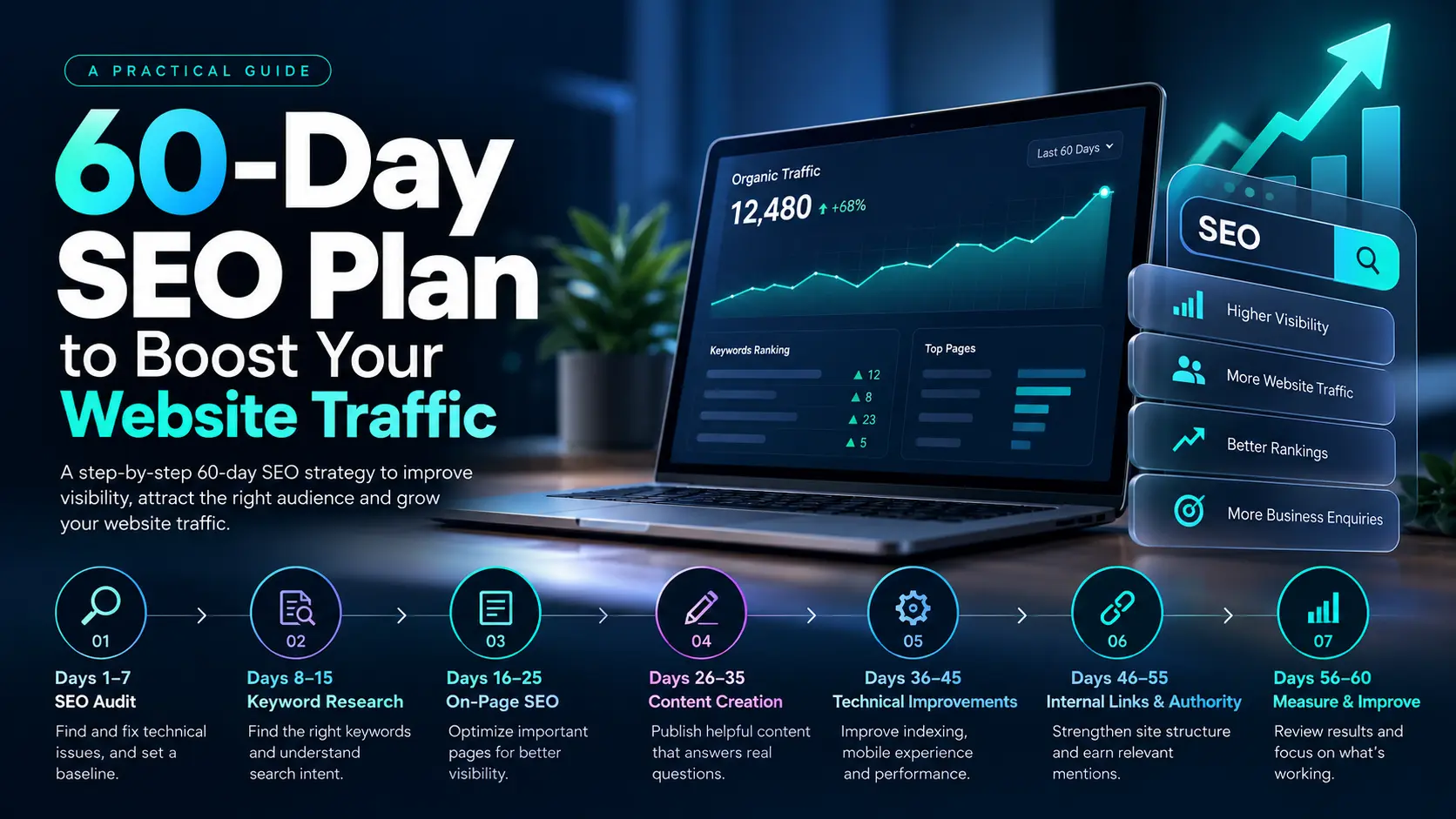
Your 60-Day SEO Plan at a Glance#
TimelineMain FocusWhat to AccomplishDays 1–7SEO AuditIdentify technical problems and establish a baseline.Days 8–15Keyword ResearchFind relevant keywords and understand search intent.Days 16–25On-Page SEOImprove important service pages and landing pages.Days 26–35Content CreationPublish helpful, search-focused content.Days 36–45Technical ImprovementsImprove indexing, mobile usability, and performance.Days 46–55Internal Links and AuthorityStrengthen site structure and earn relevant mentions.Days 56–60Measurement and RefinementReview results and prioritize the next improvements.
Let's look at each stage in more detail.
Days 1–7: Audit Your Website Before Making Changes#
Before adding new content, understand what's happening on your website.
You might already have useful pages that Google hasn't indexed. Your website may also have technical issues, duplicate titles, broken links, slow-loading pages, or unclear navigation.
Start by checking the following.
1. Review Google Search Console#
Google Search Console helps you understand how your website appears in Google Search.
Review these important metrics and reports:
Total clicks and impressions.
Queries that bring visitors to your website.
Pages receiving impressions but few clicks.
Indexing issues and affected URLs.
Sitemap status.
Available search-related experience reports.
Don't worry if your website has limited data. Use whatever is available as your starting point.
2. Check Your Website's Technical Health#
Review important technical elements, including:
XML sitemap.
Robots.txt configuration.
Canonical URLs.
Broken internal links.
Redirects and 404 errors.
Mobile responsiveness.
HTTPS configuration.
Page-loading performance.
For a Next.js website, also check that important page content and metadata are rendered correctly and that search engines can access the pages you want indexed.
3. Establish a Baseline#
Record your current organic clicks, impressions, indexed pages, and important keyword positions.
This gives you something meaningful to compare against after 60 days.
Practical Tip: Don't judge your SEO strategy only by rankings. Impressions, qualified traffic, enquiries, and conversions can tell you whether your website is moving in the right direction.
Days 8–15: Find the Right Keywords#
A common SEO mistake is choosing keywords simply because they sound popular.
A keyword is valuable when it connects your content with the right audience and the right search intent.
For example, consider these searches:
What is website development?
Website development cost.
Website development company in Ahmedabad.
Best SEO strategy for a small business.
These searches suggest different needs. Someone looking for a definition may want to learn, while someone searching for a company may be comparing service providers.
Your content should match the reason behind the search.
How to Find Useful SEO Keywords#
Use tools such as Google Search Console, Google Keyword Planner, and Google Trends to explore relevant searches and understand demand.
You can also review Google's search results to see what type of content already answers a query.
Organize keywords into three groups.
Informational Keywords
People want to learn something.
Examples:
How to improve website SEO.
What is technical SEO?
How does keyword research work?
Commercial Investigation Keywords
People are comparing options.
Examples:
Best SEO tools for small businesses.
SEO agency vs. in-house SEO.
Website development company comparison.
Transactional Keywords
People are closer to taking action.
Examples:
SEO services for small businesses.
Website development company in Ahmedabad.
Hire an SEO consultant.
For a business website, create useful service pages for commercial and transactional searches, then use educational blog posts to answer related questions.
Avoid targeting the same primary search intent with multiple pages that compete against one another.
Days 16–25: Optimize Your Most Important Pages#
You don't always need to publish new content to improve SEO. Sometimes, improving an existing page is the better starting point.
Choose your most important service pages, landing pages, and blog posts.
Improve Your Page Titles and Meta Descriptions#
Every important page should have a descriptive, unique title that accurately represents its content.
Example SEO Title: SEO Services for Small Businesses: A Practical Guide
Example Meta Description: Learn how small businesses can improve search visibility with technical SEO, useful content, keyword research, and performance tracking.
Avoid repeating the same keyword unnaturally. Write titles and descriptions for people first.
Remember that Google may generate a different search snippet depending on the query.
Create a Clear Heading Structure#
Use one clear main heading and organize the content with descriptive subheadings.
For example:
H1: How to Improve Website SEO
H2: Fix Technical SEO Problems
H2: Optimize Important Website Pages
H2: Publish Helpful Content
H2: Measure SEO Performance
Headings should help readers understand the page, not simply provide places to insert keywords.
Improve Internal Linking#
Internal links connect related pages across your website.
For example, a blog about website optimization could link to your technical SEO service, website development service, or a related article.
Use descriptive anchor text and link only when the destination is genuinely relevant.
This helps readers discover useful information and helps search engines understand the relationship between your pages.
Days 26–35: Publish Content That Answers Real Questions#
Publishing more blogs does not automatically mean more traffic.
The goal is to create content that answers questions clearly, offers useful information, and provides something more valuable than a generic summary of existing articles.
Start with questions your customers actually ask.
For example:
Why is my website not getting traffic?
How much does SEO cost?
How long does SEO take to work?
What is the difference between SEO and paid advertising?
How can a small business improve Google visibility?
Choose topics that match your services, audience, and expertise.
Follow a Helpful Blog Structure#
A useful SEO blog often includes:
A clear title that matches the search intent.
A direct introduction that explains the problem.
A concise answer to the main question.
Detailed steps or practical examples.
Relevant data or first-hand experience when available.
Helpful internal links.
FAQs that address genuine follow-up questions.
A relevant next step for readers.
Keep paragraphs readable, use descriptive headings, and include tables or checklists when they make the information easier to understand.
Build Topic Clusters#
Instead of publishing unrelated articles, create groups of content around your main services.
For example, an SEO topic cluster might include:
Technical SEO checklist.
Keyword research for beginners.
On-page SEO best practices.
How to improve website loading speed.
How to measure organic traffic.
Local SEO for small businesses.
Link related articles naturally and connect them to the appropriate main service page.
This creates a more useful experience than publishing isolated blog posts.
Days 36–45: Improve Technical SEO and User Experience#
Your website should work well for both visitors and search engines.
During this stage, revisit the technical issues found in your initial audit and prioritize those that affect important pages.
Focus on Mobile Performance#
Many users visit business websites from mobile devices.
Check whether:
Text is easy to read without zooming.
Buttons are easy to tap.
Navigation works correctly.
Images fit the screen.
Pop-ups don't block important content.
Forms are easy to complete.
A page that looks good on a desktop but is difficult to use on a phone can lose potential customers.
Review Core Web Vitals#
Core Web Vitals measure aspects of loading performance, responsiveness, and visual stability.
The key metrics are:
LCP: Largest Contentful Paint, which measures loading performance.
INP: Interaction to Next Paint, which measures responsiveness.
CLS: Cumulative Layout Shift, which measures visual stability.
Google's recommended good thresholds are:
MetricGood ResultLCP2.5 seconds or lessINP200 milliseconds or lessCLS0.1 or less
Use PageSpeed Insights and available real-user data to identify problems.
Prioritize meaningful improvements rather than trying to achieve a perfect score at the expense of usability or essential functionality.
Check Indexing#
Make sure important pages aren't accidentally blocked by robots.txt, marked noindex, or assigned incorrect canonical URLs.
Submit your sitemap through Google Search Console and inspect important URLs when necessary.
Remember that submitting a URL does not guarantee indexing or ranking.
Days 46–55: Strengthen Internal Links and Website Authority#
At this stage, focus on making your website easier to navigate and strengthening its credibility.
Earn Relevant Backlinks#
Backlinks are links from other websites to yours. Relevant, editorially earned links can help search engines discover your content and may contribute to your site's authority.
Focus on legitimate ways to earn them:
Publish original research or useful resources.
Build relationships with relevant businesses.
Contribute genuinely useful expert insights.
Seek relevant industry and business directory listings.
Promote useful content to people who may benefit from it.
Earn mentions through real projects and partnerships.
Avoid buying spam links, using automated link schemes, or creating large numbers of low-quality guest posts solely to manipulate rankings.
A smaller number of relevant, genuine mentions is a better long-term goal than collecting links without considering quality.
Improve Local SEO When Relevant#
If your business serves a specific area, local SEO can help potential customers discover your services.
For example, an Ahmedabad-based web development company could strengthen its local presence by:
Maintaining an accurate Google Business Profile.
Keeping business contact details consistent.
Creating useful, genuinely location-specific service pages.
Collecting honest customer reviews.
Adding relevant local business information to its website.
Linking local landing pages to the relevant service pages.
Don't create dozens of nearly identical city pages by changing only the location name. Each location page should provide useful information specific to that area and audience.
Days 56–60: Measure Results and Improve What's Working#
The final five days are not about declaring SEO a success or failure. They are about using the available evidence to decide what to do next.
Open Google Search Console and compare your results with the baseline from the first week.
Look at the following metrics.
Organic Clicks: Are more people visiting from Google Search?
Impressions: Is your website appearing for more relevant searches?
Click-Through Rate: Are people clicking when your pages appear in search results?
Average Position: Are important queries showing a positive trend?
Conversions: Are visitors submitting enquiries, contacting your business, or completing other meaningful actions?
Compare equivalent periods where possible, and remember that seasonality and changes in search demand can affect results.
What Should You Do With the Findings?#
If a page receives impressions but few clicks, review whether its title and search snippet accurately communicate its value.
If a page receives relevant traffic but few enquiries, examine its content, usability, service offering, and calls to action.
If an important page is not indexed, investigate the technical and content-related reasons.
If an article performs well, consider updating it with useful additional information and linking it to relevant service pages.
The best SEO strategy is not a one-time 60-day project. It's an ongoing process of publishing, measuring, learning, and improving.
Common SEO Mistakes to Avoid#
While following your 60-day plan, watch out for these mistakes:
Keyword Stuffing: Repeating the same phrase unnaturally.
Publishing Thin Content: Creating articles that offer little original value.
Ignoring Technical Issues: Adding more content while important pages remain inaccessible.
Building Spam Backlinks: Prioritizing link quantity over relevance and quality.
Neglecting Mobile Users: Designing for desktop screens only.
Ignoring Search Intent: Writing a blog when the user actually needs a service page.
Expecting Instant Results: Treating 60 days as a guaranteed ranking deadline.
Using AI Without Editorial Review: Publishing generic or inaccurate content without checking it.
AI tools can assist with research, outlines, and editing, but the final content should be accurate, genuinely useful, and reviewed by someone who understands the subject.
Final Thoughts: Make the Next 60 Days Count#
Improving website traffic doesn't require changing everything overnight.
Start with the problems that matter most. Make your important pages more useful. Answer your audience's questions clearly. Improve the technical experience. Build genuine credibility. Then measure what changes.
A 60-day SEO plan gives you a clear direction, but the real value comes from consistently making your website better for the people who use it.
Need Help Improving Your Website's SEO?#
At Infoy, we help businesses explore website development, technical improvements, and digital strategies that support their goals.
Or get in touch to discuss what your website needs next.